SEO meta in 1 click makes checking essential page elements easier, especially when you manage multiple website pages. A missing title, incorrect canonical, or accidental noindex instruction can create problems that are easy to overlook. Fortunately, you don’t have to review every line of code to understand a webpage’s SEO setup.
This browser extension brings useful information together. Just remember, spotting an SEO issue and fixing it correctly are two different things.
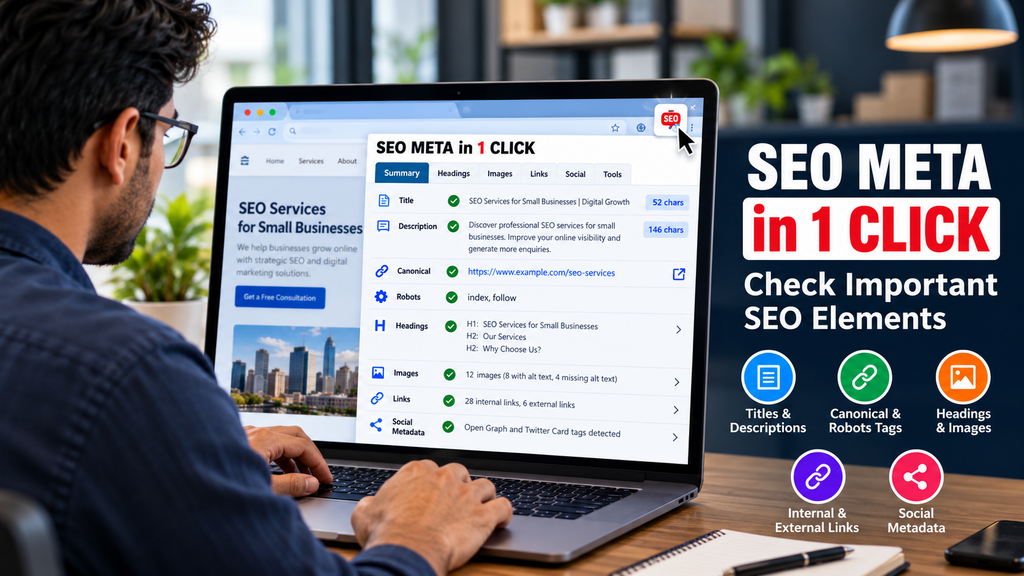
Table of Contents
- What Is SEO Meta in 1 Click?
- Why Meta Tag Optimisation Matters
- How to Audit a Page
- Common Mistakes to Avoid
- Frequently Asked Questions
- Conclusion
What Is SEO Meta in 1 Click?
SEO META in 1 CLICK is a browser extension that displays important on page SEO information in one place. Depending on the page, you can examine important elements such as the page title, meta description, headings, canonical URL, robots directives, images, internal and external links, and social sharing metadata.
This saves time during website audits. For example, when reviewing a client’s service page, you can quickly identify a missing description or an image without alternative text.
However, the extension does not determine whether content satisfies search intent or deserves better rankings. It shows technical information. Understanding what that information means is still your responsibility.
Why Meta Tag Optimisation Matters
Titles and descriptions
A title tag communicates a page’s main subject. A clear, relevant title helps users understand what they might find before clicking a search result.
Meta descriptions provide additional context. Google may use them to generate search snippets, but it can choose text from the page instead. Neither element guarantees higher rankings.
For a digital marketing agency, a title such as “SEO Services for Small Businesses” is more informative than “Our Services.” Specificity helps visitors recognise relevance.
Canonical tags and robots directives
Canonical tags indicate a preferred URL when duplicate or similar pages exist. Robots directives communicate instructions about crawling or indexing.
These settings deserve careful attention. An incorrect canonical can confuse preferred URL signals, while an unintended noindex directive can prevent a page from appearing in search results.
How to Audit a Page
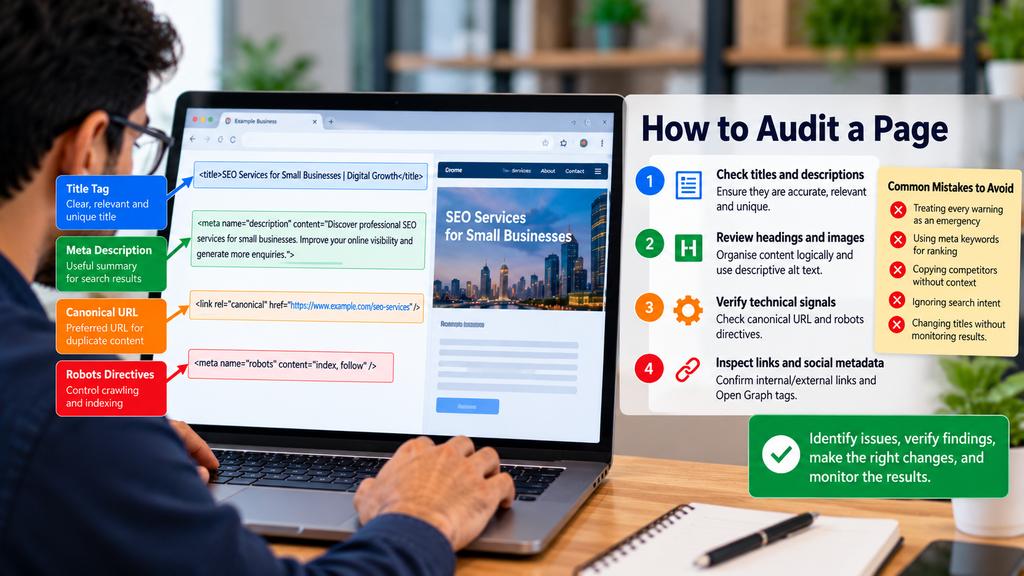
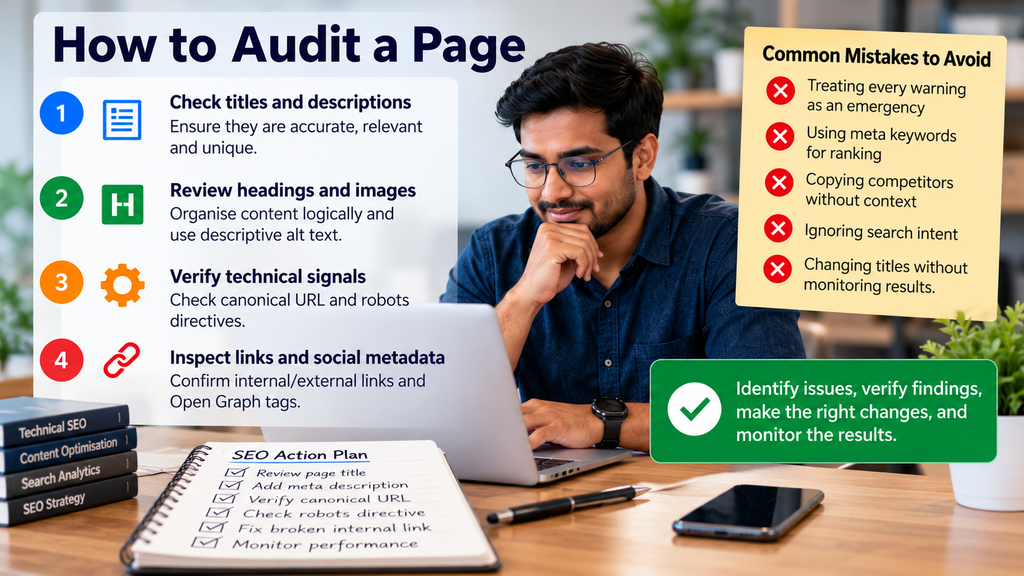
1. Check titles and descriptions
Open the page and inspect its metadata. Confirm that the title accurately reflects the content, differs appropriately from other important pages, and uses the target keyword naturally.
Review the description for clarity and relevance. Avoid repeating keywords simply to make the text appear optimised.
2. Review headings and images
Check whether headings organise the information logically. A useful heading structure makes lengthy content easier to navigate. Multiple H1 headings are not automatically a Google penalty.
Inspect image alternative text too. Describe meaningful images accurately, while decorative images can use empty alt attributes. Do not stuff keywords into every image description.
3. Verify technical signals
Review the canonical URL and robots directives, particularly after redesigns, migrations, or publishing changes. Compare suspicious settings with your intended configuration before editing anything.
For example, a staging website might intentionally use noindex. Accidentally carrying that instruction onto a live website can cause serious indexing problems.
4. Inspect links and social metadata
Check whether important internal links point to the correct destinations. Review Open Graph metadata when social sharing matters. These tags help control shared previews, but they do not replace search metadata.
Common Mistakes to Avoid
The biggest mistake is treating every warning as an emergency. A tool can identify missing information, but context determines its importance.
Google does not use the meta keywords tag as a ranking factor, so adding keywords to this tag will not improve your search rankings.
Likewise, forcing every title into an arbitrary character limit does not guarantee better performance.
Avoid copying competitors without understanding their audiences. Instead, consider your page’s purpose, search intent, and actual performance data.
After changing important titles, monitor impressions, clicks, and relevant search queries in Google Search Console. Evaluate trends rather than assuming one change caused every improvement.
Frequently Asked Questions
What Is SEO Meta in 1 Click?
It is a browser extension for inspecting important page level SEO information, including metadata, headings, images, links, and canonical URLs.
Is SEO Meta in 1 Click a tool for generating meta titles?
Its primary purpose is inspection rather than automatic title writing. Use its findings to create accurate, relevant titles.
Does a longer meta description improve rankings?
No. Length alone does not guarantee ranking improvements. Write useful descriptions, understanding that Google may display different text.
Can the extension confirm indexing?
No. It can reveal indexing related directives, but Google Search Console provides more direct information about a page’s indexing status.
How often should I audit metadata?
Review important pages before publication, after major website changes, and during scheduled SEO audits.
Conclusion
SEO meta in 1 click simplifies routine inspections, but effective optimisation requires informed decisions. Review these elements carefully, identify potential issues, and verify each finding before making any changes. A useful audit focuses on genuine problems, not perfect scores.
CTA: Choose one important website page, inspect its metadata, and fix the most meaningful issue first. Then monitor the results and use what you learn to improve your next audit.